
About this case study
This is a template you can run yourself, not a reported customer result or a promise about reach.
How the four-week rotation works
You built the app in a weekend with Lovable, Bolt, Cursor or Replit, and building in public is the cheapest distribution you have left. It stalls for a boring reason: in the weeks when nothing dramatic ships, you post nothing and the account goes quiet. A template fixes that, because the theme decides what you post before you have to feel inspired.
The rotation runs four weeks. Week 1 is the problem and who it is for. Week 2 is progress and the decisions behind it. Week 3 is proof: numbers, evidence and lessons. Week 4 is the ask: feedback, testers and what comes next. Then you start again at week 1 with a month of new material.
Inside each week, five posts carry one of five roles: problem, progress, proof, ask and lesson. The role gives the shape, the theme the subject, the network the length. Threads and X take the text posts, Instagram takes one visual post a week. Copy the checklists below and fill in the brackets.
Weeks 1 and 2: the problem, then the progress
Week 1 makes a stranger recognise their own situation and needs no new feature. Week 2 shows movement, and only works if you post the decision, not the diff.
- Week 1 · Monday · Problem · Threads and X — “Most [audience] still [manual workaround]. It costs them [time or money] every week. That is what I am building against.”
- Week 1 · Tuesday · Progress · Threads and X — The smallest working piece that touches the problem, with one screenshot: “Here is the part that replaces [step]. It took [n] days.”
- Week 1 · Wednesday · Proof · Instagram — One card showing before and after: “[Old way]: fourteen steps. [New way]: two.” Under twelve words on the image.
- Week 1 · Thursday · Ask · Threads and X — “If you [do the task] today, how do you actually handle it? I will read every reply.” Then reply to every reply.
- Week 1 · Friday · Lesson · Threads and X — “I assumed [assumption]. Three conversations later, the real complaint is [reality].”
- Week 2 · Monday · Progress · Threads and X — “[Feature] is live. It exists because [user] could not [do thing].” One sentence, one screenshot.
- Week 2 · Tuesday · Lesson · Threads and X — “I chose [option A] over [option B]. [Option B] would have taken three weeks and served fewer people.”
- Week 2 · Wednesday · Proof · Instagram — A before-and-after of one screen you rebuilt, captioned with what changed for the person using it.
- Week 2 · Thursday · Progress · Threads and X — The unglamorous fix: “Spent [n] hours on [boring problem] this week. Nobody will notice, which is the point.”
- Week 2 · Friday · Ask · Threads and X — “Next up is either [A] or [B]. Which would you actually use? One reply decides it.”
Weeks 3 and 4: the proof, then the ask
One honest number beats five vague claims; without numbers, evidence works: quotes, support threads, real usage. Week 4 then asks for something specific, because “check it out” gets vague results.
- Week 3 · Monday · Proof · Threads and X — A number with its denominator: “[n] signed up this month, [m] came back in week two. Here is what the [m] have in common.”
- Week 3 · Tuesday · Lesson · Threads and X — “I expected [assumption]. The data said [reality], so I removed [feature].”
- Week 3 · Wednesday · Proof · Instagram — A screenshot of your analytics with the axis labels visible, plus one line of context. Never crop an axis to make a line look steeper.
- Week 3 · Thursday · Proof · Threads and X — A user in their own words, with permission: “Someone described it as [quote]. That is now the headline on the landing page.”
- Week 3 · Friday · Lesson · Threads and X — “[Channel or tactic] produced [result] in [time]. I am stopping it, and here is what I would try instead.”
- Week 4 · Monday · Ask · Threads and X — “Looking for [n] [type of person] to try [feature] this week. Reply and I will send an invite today.”
- Week 4 · Tuesday · Progress · Threads and X — “Three of you said [complaint]. It is fixed as of this morning.”
- Week 4 · Wednesday · Proof · Instagram — Next month as a card in three lines: what you are building, what you are deliberately not, and when.
- Week 4 · Thursday · Ask · Threads and X — The invitation, once a month, with no apology: “[App] does [outcome] for [audience]. Free to try, link below.”
- Week 4 · Friday · Lesson · Threads and X — The month in review: one thing that worked, one that did not, one number, one line about next month.
20 build-in-public post ideas that never run out
When a slot is empty, take the idea that matches its role.
- Problem — The workaround your users pay for today, with its real price.
- Problem — A screenshot of the spreadsheet or Notion page your app replaces.
- Problem — The question you keep getting in DMs, answered in public.
- Problem — Who the app is not for, said plainly.
- Progress — The feature you shipped, in one sentence and one screenshot.
- Progress — The thing you deleted, and why the app is better without it.
- Progress — A recording of a flow that took four clicks and now takes one.
- Progress — Your actual week: hours building, on support, on distribution.
- Proof — One metric with the denominator visible.
- Proof — A support conversation, anonymised, that turned into a fix.
- Proof — A user quote you did not write yourself.
- Proof — What it costs you to run the app this month, itemised.
- Ask — Two options for the next build, settled by one reply.
- Ask — A call for testers with a number and a deadline.
- Ask — A request for feedback on one screen, image attached.
- Ask — The monthly invitation, with a link and no apology.
- Lesson — The assumption a user destroyed this month.
- Lesson — A pricing change and what happened after it.
- Lesson — The tool or channel you stopped using, and what replaced it.
- Lesson — What you would do differently starting again on Monday.
How to run this template in Amplispect
The template survives month one on willpower, and month three because something else holds the calendar. In Amplispect that starts with a workspace built from your site: paste the URL and it picks up your offer, your audience and your brand voice, so drafts sound like the product rather than a generic founder account.
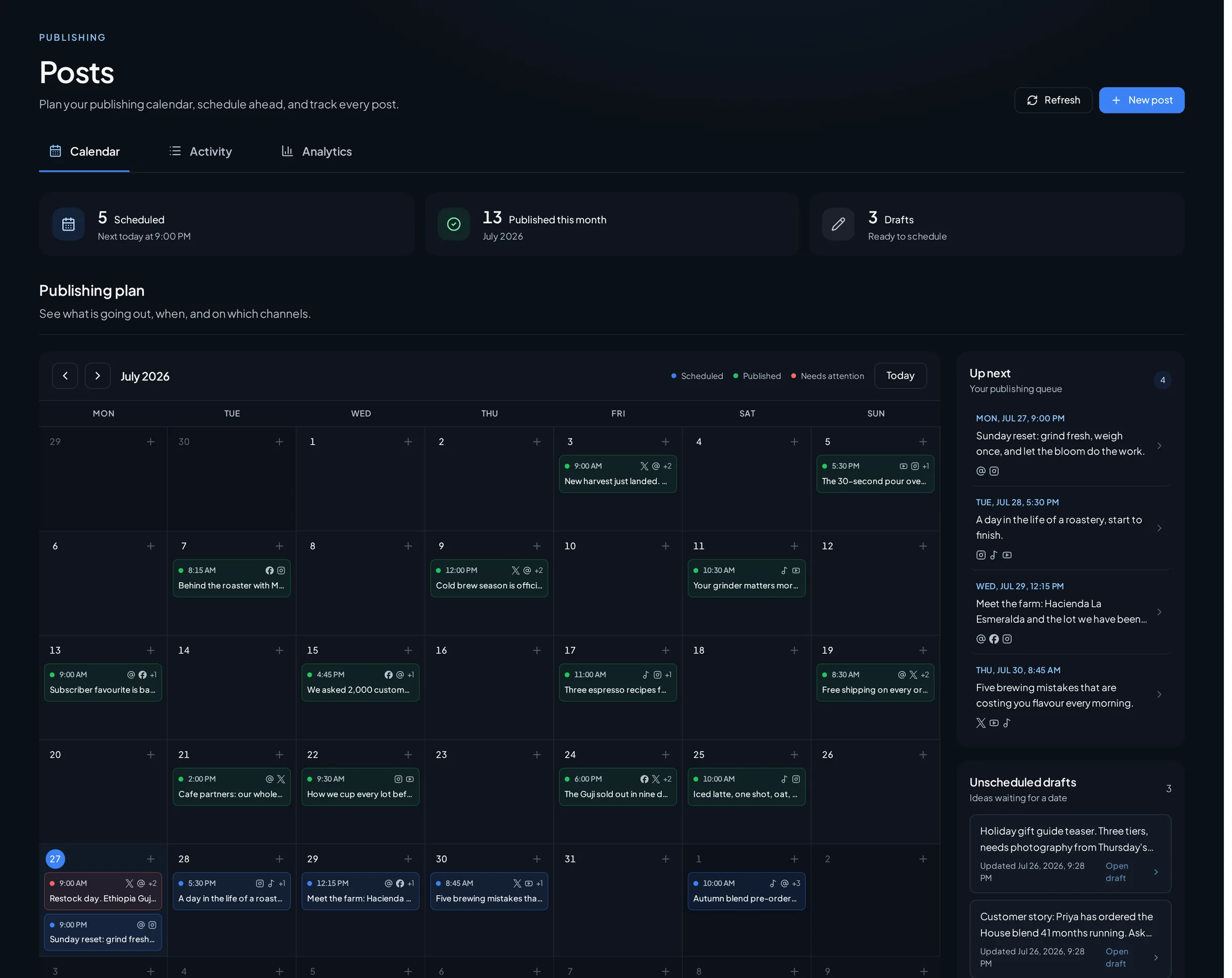
Set the cadence to five posts a week and let Amplispect generate it. Every generated post arrives with a role and a date attached, which is exactly what this template is made of, so your job is swapping in the roles the current theme calls for and editing the copy. Then review and schedule the whole week in one sitting: the composer previews each post per network, so a caption too long for X, or an Instagram post with no image, is caught before it enters the queue. Nothing publishes without your approval.
Then the daily part, about fifteen minutes: replies. Comments from the connected accounts sync back with drafted responses you approve or rewrite, so Thursday’s ask turns into a conversation. At the end of the month, let the performance view choose the next rotation. If proof week outperformed everything else, run proof twice and shrink problem to a single post.
What a month of this actually buys you
Twenty posts, five of them direct asks, four with a real number attached, and a public record of every decision you made. The realistic outcome is not a viral post. It is that the people following you can describe what your app does without opening it, and that you never sit on a Tuesday wondering what to say. Followers, sign-ups and installs stay outcomes to measure, not numbers a calendar can promise.
The guardrail: do not decorate the numbers
Building in public loses its only advantage the moment the numbers are dressed up. Post the denominator with the metric, label anything modelled or projected as such, and never crop a chart axis to flatter a line. The same honesty applies to the cadence: five posts a week you can sustain beats fifteen for a fortnight and then silence. If a week is genuinely empty, post a lesson, not an invented milestone.
Go deeper
The rest of the cluster, and the two product pages this template runs on.
- Build in Public: A Posting Cadence That Gets Users, Not Just FollowersThe reasoning behind the cadence this template schedules, and how to pick one you can actually hold.
- App Launch Content Calendar Template: 3 Weeks, Day by DayThe launch-week version of this calendar, for the month you finally ship.
- Typefully vs Amplispect for Build-in-Public FoundersHow a text-first writing tool compares with a workspace that plans, schedules and handles replies.
- How to Write a Changelog That Brings Users Back (and Attracts New Ones)Turn the progress posts from weeks 2 and 4 into a changelog that brings people back.
- How to Distribute an App: The Complete Guide for Founders Who Have Built SomethingThe full distribution picture that this calendar is one piece of.
- AI content calendar generatorGenerate the coming week on your cadence, with a role and a date on every post.
- Instagram, Threads and X schedulerSchedule the week to the three networks this template uses, with a preview per network.
Frequently asked questions
How often should you post when building in public?
Five posts a week is the cadence this template assumes, because it fills one weekday slot at a time and still leaves room for replies. Three a week works if you keep the rotation intact. What fails is an intense fortnight followed by a month of silence.
What do I post about if nothing shipped this week?
Use a problem, proof or lesson post. Three of the five roles need no new code: the problem your app solves, a number you already have, or something you got wrong. That is the reason the rotation exists.
Which networks work best for building in public?
Threads and X carry the text posts, since both reward short, specific updates and are where replies happen. Instagram takes the one visual post a week. Amplispect publishes to those three; anything you do on LinkedIn, Reddit or TikTok stays manual work.
Can a build-in-public content calendar be automated?
The planning can be. Amplispect generates the week on your cadence with a role and a date on every post, and you swap in the roles this template calls for. Publishing still waits for your review, and the replies are yours to write.