
About this case study
This is a reusable planning template, not a reported customer result or a promise that a launch week will produce a specific number of sign-ups.
Why a launch needs a calendar, not a launch day
You can build an app in a weekend now. Lovable, Bolt, Cursor, v0, and Replit collapsed the build into days, which means the hard part moved. The hard part is the three weeks around the launch, when nobody knows the app exists and you get one shot at the attention of the people who already follow you.
Most solo launches fail the same predictable way. The founder posts once, on launch day, to an audience that has never heard of the product, and the post lands cold. A launch calendar fixes that by spreading the work backwards: two weeks warming up an audience that already agrees the problem is real, then a launch week where every single day has a job.
The rest of this article is the template. Three weeks, sixteen posts, each with a day, a role, a network, and a one-line prompt you can answer in five minutes. Copy it as written for your first launch, then edit the roles once you know which ones your audience actually replies to.
Week minus two: warm-up
Nobody is ready to hear about your app yet. This week you talk about the problem, so the launch post lands on people who already agree it is one.
- Monday · Problem post · Threads — Describe the exact moment that made you start building, in two sentences, with no product name and no link.
- Tuesday · Cost-of-the-problem post · X — Put a number on what the problem costs you every week: hours, missed messages, spreadsheet tabs, refunds.
- Wednesday · Workaround post · Instagram — Show the messy thing you did before: the spreadsheet, the notes app, the folder full of screenshots.
- Thursday · Teaser · Threads — One screenshot of a single screen, cropped so it raises a question. Say you are building something, not what it does.
- Friday · Waitlist ask · X and Instagram — Ask directly, once: “I am building this. Want the link when it is ready?” Give people one way to reply.
Week minus one: proof
The problem is on the table. This week you prove the thing you built actually works, so launch week can be a reminder instead of an introduction.
- Monday · Build-in-public update · Threads — What you shipped last week and the one decision you argued with yourself about.
- Tuesday · Demo clip · Instagram — A 15 to 30 second screen recording of one task, start to finish, no intro and no music.
- Wednesday · Before and after · X — The old workflow in one line, the new one in one line. Let the contrast do the work.
- Thursday · Early-user quote · Instagram and Threads — One sentence from a beta tester, with permission, plus what you changed because of it.
- Friday · “Launching on” post · X, Threads, and Instagram — Name the day. “Launching Tuesday.” Then say what it does in one plain sentence.
Launch week, day by day
Six posts, six jobs. The order matters more than the wording: announce, prove, explain why, thank, listen, then point forward so the week does not end in silence.
- Monday · Announcement · X, Threads, and Instagram — What it is, who it is for, and the link. One sentence each, no thread, no manifesto.
- Tuesday · Demo · Instagram and Threads — The same task as your week-minus-one clip, now with the link in the caption or the first reply.
- Wednesday · Story · Threads — Why you built it. The version with the frustrating detail still in it, not the tidy one.
- Thursday · Thank-you · X and Instagram — Name the people who tested, replied, or shared. Specific names beat “thanks everyone”.
- Friday · First feedback · Threads and X — Quote one real piece of feedback, including a critical one, and say what you are doing about it.
- Saturday · What is next · X — The next two things you are building, and an invitation to tell you which one matters more.
How to load this template into Amplispect
Start with the workspace. Amplispect builds it from your website: it reads your offer, your audience, and your brand voice off the live page, so the generated posts already sound like your product instead of a generic app. Do this before the three weeks start, while the site still says what you want the launch to say.
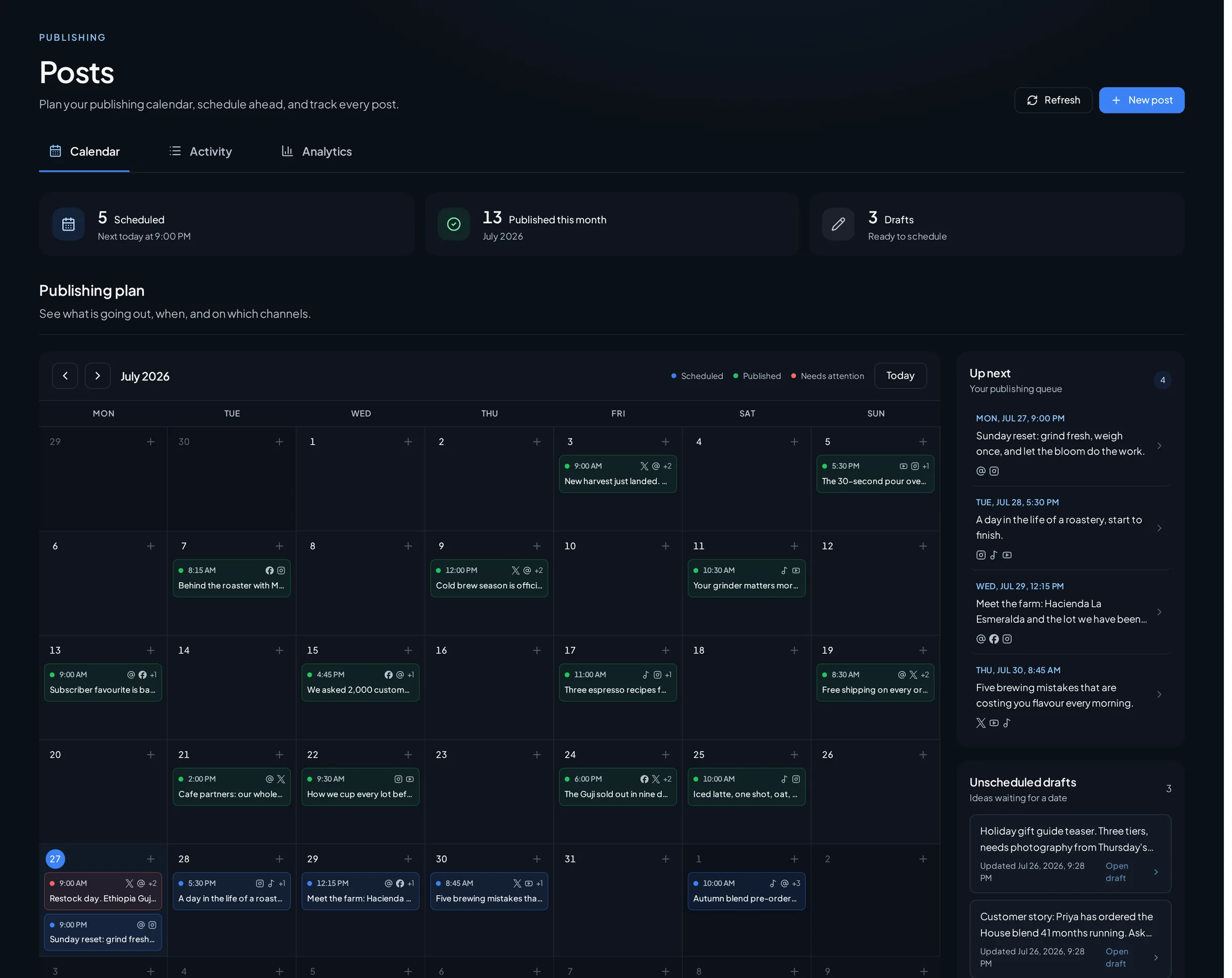
Then generate a week at a time. The calendar generator plans a week of posts on the cadence you set, and each planned post arrives with a role and a date attached. Generate week minus two first, then compare what came back against the template above. Where the generated role already matches — a problem post, a demo, a thank-you — keep the draft and work on the words. Where it does not, replace the role with the one from the template and let the draft follow.
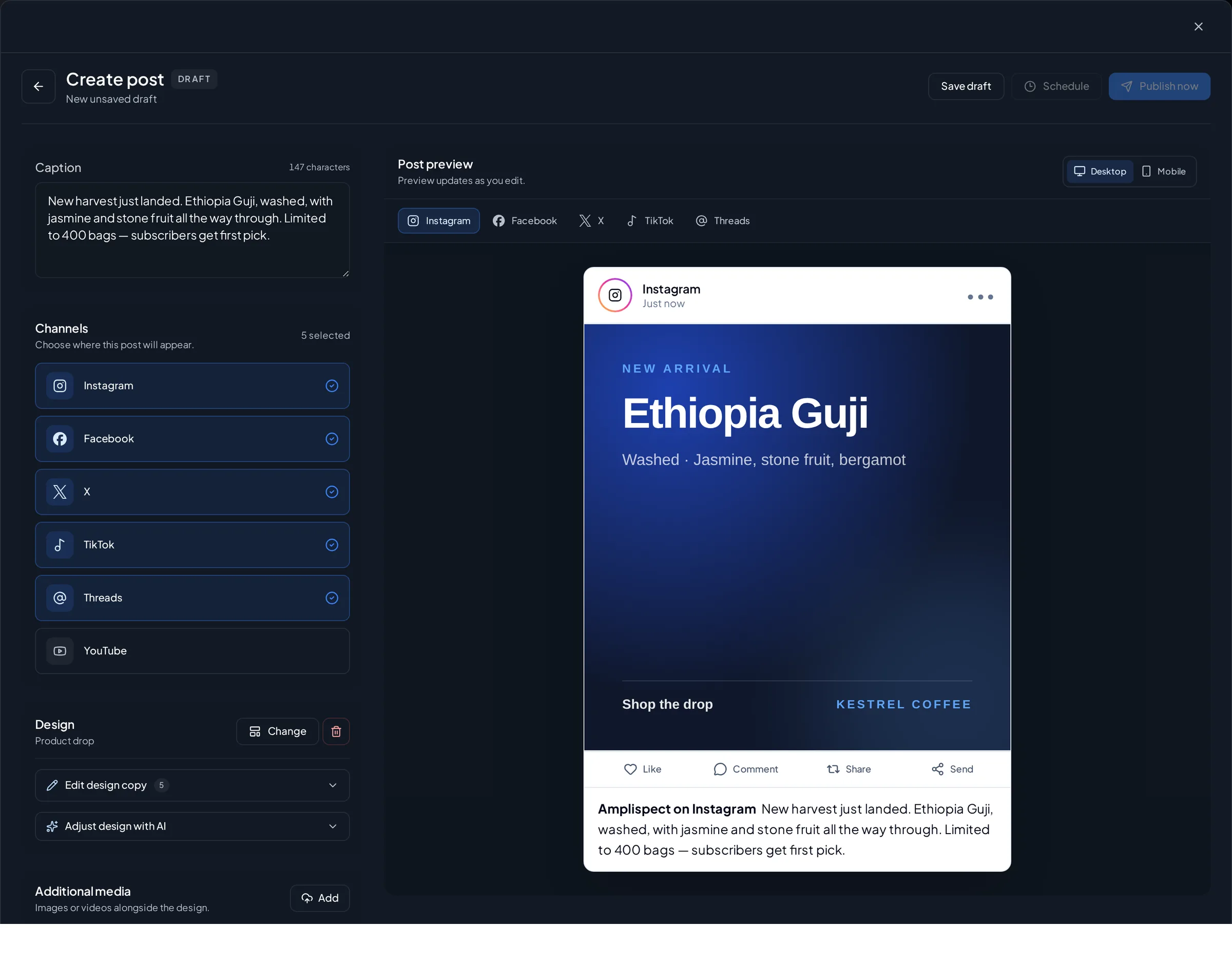
Schedule everything you can before launch week begins. Open each post in the composer, check the per-network preview, fix whatever the validation flags, and put it in the queue with its date. Sixteen posts is one long afternoon of work, and doing it in advance is the entire point: launch day is for replying to people, not for writing captions. Keep the day itself clear, watch the comments sync into the workspace, and review every reply draft before it goes out.
If you are also going up on Product Hunt, this calendar is the structure around the day and the launch checklist is the day itself. Slot the Product Hunt day in where the Monday announcement sits, keep the rest of the week as written, and follow the checklist for the hunter, the assets, and the first-comment work.
What this actually gets you
By the time you launch, the people seeing the announcement have watched you describe the problem for two weeks and seen the product work at least once. The launch post becomes a reminder rather than an introduction, and you spend the day in the replies instead of the drafts. Attention is the outcome you can plan for. Sign-ups still depend on the product, the landing page, and the price.
The guardrail
Do not schedule launch week and then disappear into it. A calendar buys you time to answer people, and a launch that publishes on time but leaves every comment unanswered is worth less than a messy one where the founder shows up. Nothing leaves Amplispect without your review, and the same rule should apply to every reply: read it, edit it, then send it.
Go deeper
The articles and pages that fill in what this template compresses:
- Product Hunt Launch Checklist for Indie Apps (2026)The launch-day checklist to run inside this calendar if you are going up on Product Hunt.
- Build in Public Content Calendar Template: A Repeatable 4-Week PlanThe calendar for the months either side of a launch, when there is no launch date to plan around.
- How to Launch an App on X, LinkedIn, Reddit and TikTok in the Same WeekHow to spread one launch across the channels Amplispect does not publish to, in the same week.
- Your First 10 Posts About Your App When You Have No Users or TestimonialsWhat to write when the app is ready and you have no idea what the first posts should say.
- How to Distribute an App: The Complete Guide for Founders Who Have Built SomethingThe full picture: how distribution works once the build tool is done with you.
- Content calendar generatorGenerate a week of planned posts, each with a role and a date, on the cadence you set.
- Social media schedulerPreview each post per network, catch validation errors, and queue the whole launch week.
Frequently asked questions
How far in advance should I plan an app launch?
Three weeks is enough for a solo launch: two weeks to warm up an audience around the problem, one week to launch and stay in the replies. Longer plans tend to go stale because the product keeps changing underneath them.
What should I post on launch day?
One announcement post that says what the app is, who it is for, and where to get it. Save the story, the demo, and the thank-you for the following days so the week gives people six reasons to look at you instead of one.
How many posts does an app launch need?
Around sixteen across three weeks is a workable target for one person: five in the warm-up week, five in the proof week, six in launch week. Fewer is fine if each one is specific, and more is usually a sign of filler.
Can I schedule a whole launch calendar in advance?
Yes. Amplispect can generate the planned week, and the composer schedules each post per network with its own preview and publish status. Keep launch day itself free so you can answer comments as they arrive.