
About this case study
This guide describes a repeatable writing and publishing process, not a reported customer result, and the ten templates are prompts to fill in rather than posts to copy word for word.
You do not need users to have something to post
You shipped in a weekend with Lovable, Bolt, Cursor, v0 or Replit. The app works, the domain is live, and then you open a composer and the only thing you can think of to write is the launch link, again. Most advice tells you to post testimonials, results and case studies. You have none of those, so you post nothing, and the app sits there.
The mistake is assuming the raw material for content is other people’s results. In the first month the raw material is your own decisions: the problem you had, the spreadsheet you were sick of, the feature you cut on Tuesday, the assumption that turned out to be wrong. Nobody else can write those posts, and they are more interesting than a five-star quote.
What follows is ten posts. Each has a purpose, a fill-in-the-blanks structure and a network it suits. Write all ten in one sitting while the build is still fresh in your head, then spread them across two weeks.
Posts 1 to 4: the ones only you can write
These come from your own history with the problem, so they need no users at all.
- 1. The problem you had (Threads or X). Purpose: show you built this for yourself rather than as an exercise. Structure: “For [time period] I kept [specific annoying thing]. I tried [obvious fix] and it did not stick because [reason]. So I built [app] to do [one job].” Keep the annoying thing specific — “I lost three invoices in my inbox last quarter” beats “invoicing is hard”.
- 2. The workaround you replaced (X). Purpose: name the competitor people actually use, which is usually a spreadsheet, a notes file or a group chat. Structure: “Before [app] I did this with [workaround]. It worked until [breaking point]. Here is what the same job looks like now.” Attach a picture of the old workaround; the mess is the hook.
- 3. The 20-second demo (Instagram Reels or a Threads video). Purpose: prove the thing exists and runs. Structure: one screen recording, one task, start to finish, no intro card. The first frame shows the empty state and the last frame shows the finished result. Caption: “[Task], in 20 seconds.” Skip the voiceover and put on-screen text on the two moments that matter.
- 4. The decision you got wrong (Threads). Purpose: earn trust faster than any feature post can. Structure: “I built [feature] first because I assumed [assumption]. Then [what actually happened]. I removed it and built [replacement] instead.” This one reliably pulls replies from other builders, and other builders are the audience that will share you in week one.
Posts 5 to 7: show the thing, then draw a line
The middle three make the value legible and start conversations while your audience is still small.
- 5. The before and after (Instagram carousel). Purpose: explain the value in two frames to somebody who will not read a paragraph. Structure: slide one is the messy before, slide two is the same job inside your app, slide three is one sentence naming what changed. Use identical data in both frames so the comparison stays honest.
- 6. The “who this is not for” post (X or Threads). Purpose: sharpen who it is for by saying out loud who it is not for. Structure: “[App] is not for [group], [group] or [group]. It is for [one specific person] who needs [one specific thing].” This draws more replies than a broad pitch, because the right person recognises themselves in the exclusion.
- 7. A question you genuinely need answered (Threads). Purpose: start conversations before you have an audience, because answering a question costs a stranger far less than clicking a link. Structure: one line of context, one question, no link. “I am deciding between [A] and [B] for [use case]. If you do [activity] every week, which would you want?” Then reply to every single answer.
Posts 8 to 10: the detail, the ask and the numbers
The last three are the ones founders skip, and they are the ones that turn readers into people who reply.
- 8. The screenshot with one annotated detail (Instagram or X). Purpose: a full-screen screenshot reads as noise, while one circled detail reads as a point. Structure: crop tight, draw a single arrow or box on one element, and write one sentence on why that element exists. One detail per post — you have plenty of screens and plenty of weeks.
- 9. The “what should I build next” ask (Threads or X). Purpose: turn a private roadmap into a public conversation and find out what people want before you spend a weekend building it. Structure: “Next I could build [A], [B] or [C]. A does [outcome], B does [outcome], C does [outcome]. Which one would change your week?” Ship the winner and post the result a week later.
- 10. The honest week-one numbers (X). Purpose: build-in-public credibility comes from posting numbers while they are still small. Structure: “Week one: [visitors] visitors, [signups] signups, [returning] people who came back. Here is what I think went wrong.” Small numbers with a real read on them travel further than round numbers with no interpretation attached.
Turning ten drafts into a two-week schedule
Ten drafts in a document are not a distribution plan. The gap between writing them and publishing them on a fixed rhythm is where most first content dies, so the mechanical part is worth setting up once.
Point Amplispect at your app’s website first. It reads the offer, the audience and the voice you already wrote on your landing page and builds a workspace from that, so anything generated alongside your drafts sounds like your product rather than like generic startup copy. Paste your ten posts in next to it.
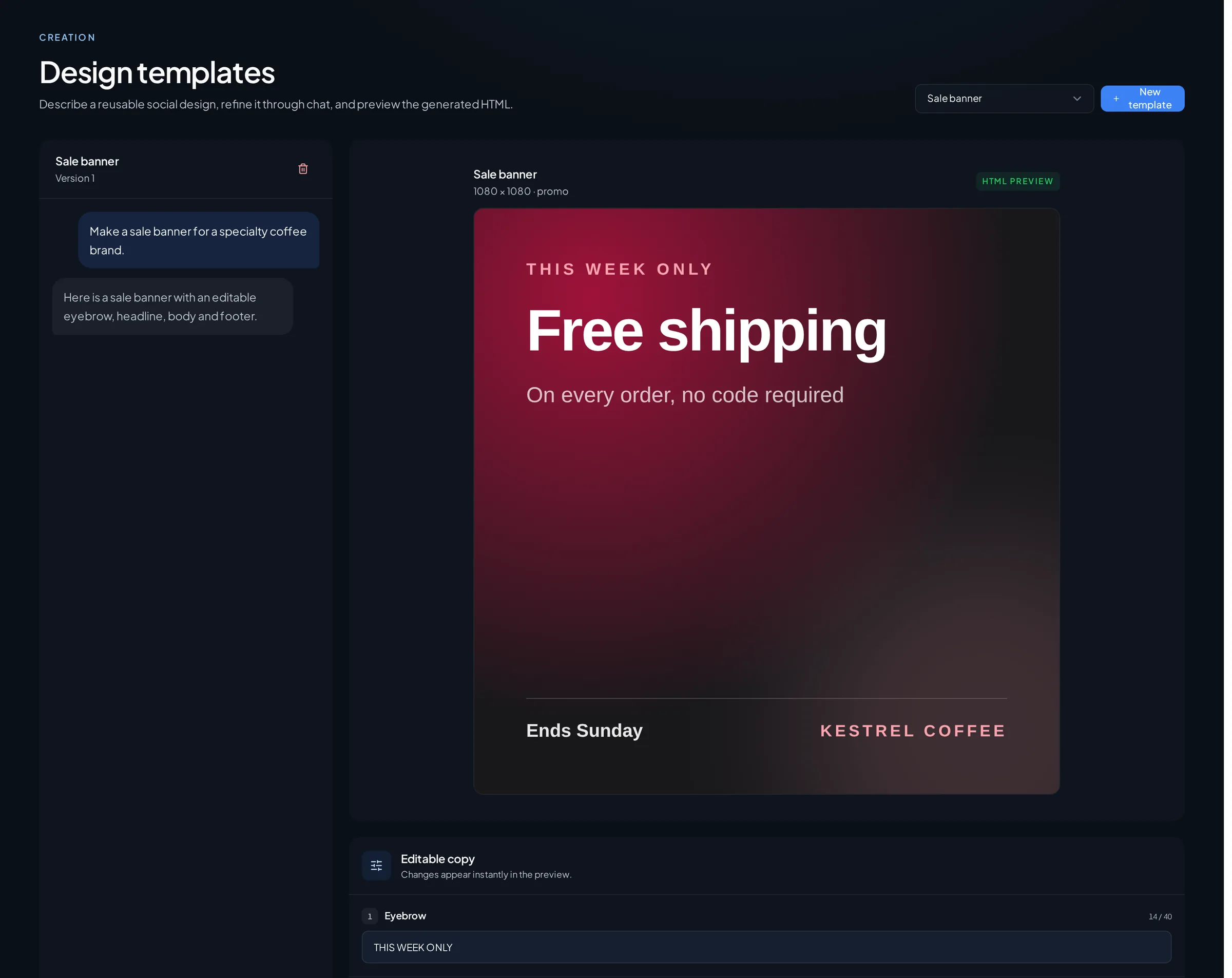
The four visual posts — the demo, the before and after, the carousel and the annotated screenshot — go through the brand templates. The composer then gives you a per-network preview, so you see the X version truncate and the Instagram caption fold before anything is queued rather than after it has published.
Then schedule: five posts a week for two weeks, one per weekday, alternating a story post and a visual one. Amplispect publishes to Instagram, Threads and X, and nothing goes out without your review. Put the two questions, posts 7 and 9, on days you know you are free, because an unanswered question is worse than no question. Reply to every comment for the full two weeks — with ten posts and no audience, replies are most of your reach.
What two weeks of this realistically gets you
Ten posts, five a week, each with a reason to exist. Realistically that is a handful of replies, two or three conversations with people who have the problem, and a much sharper sentence for describing what you built. It is not a launch spike. It is the first repeatable cycle: the replies to posts 6, 7 and 9 tell you what to write in week three, and by then you should have a first real user to write about.
The guardrail
Do not invent the social proof you do not have. No fabricated testimonials, no borrowed screenshots, no “users are loving it” when there are four of them and two are your friends. Label modeled or projected numbers as modeled. The reason these ten posts work with no users is that every one of them is verifiably yours, and a single invented quote costs you the only advantage you have.
Go deeper
Where to go once the first ten are written and scheduled:
- Turn Your Landing Page Into 30 Days of Social PostsHow to keep going after the ten: your landing page already holds roughly a month of material.
- I Built an App With Lovable, Bolt or Cursor. How Do I Get Users?The wider playbook for the week after you ship, when the build is finished and distribution has not started.
- Build in Public: A Posting Cadence That Gets Users, Not Just FollowersHow to settle into a rhythm you can hold for months instead of a two-week sprint.
- How to Promote Your App on Social MediaThe channel-by-channel view of promoting an app on Instagram, Threads and X.
- How to Distribute an App: The Complete Guide for Founders Who Have Built SomethingThe pillar guide that connects every part of getting a new app in front of people.
- Brand design templatesRenders the visual posts in your colours and type so ten posts read as one product.
- Instagram, Threads and X schedulerPer-network previews, scheduling and publish status for the three networks Amplispect publishes to.
Frequently asked questions
What should I post about my app when nobody is using it yet?
Post the things only you can know: the problem you had, the workaround you replaced, the decision you got wrong, and what you are deciding to build next. Those need no users, and they are more specific than anything a testimonial would give you.
What makes a good first social media post for a new app?
One idea, one concrete detail and no link. The strongest first post is usually the origin story with a specific number or moment in it, because it explains what the app does and why you built it in the same breath.
How often should I post about a new app?
Five posts a week for the first two weeks is enough to test what resonates without burning your material. Amplispect can schedule the whole run across Instagram, Threads and X in one sitting, and every post still waits for your review before it publishes.
Which network should I post my app on first?
Threads and X suit the written posts, since they reward specificity and make replies easy. Instagram suits the demo, the carousel and the annotated screenshot. Amplispect publishes to all three, so you can run one set of ten across them rather than choosing.